



Details
Flexible, powerful, and essential to every audio production
Sound Forge has been the creative audio editing tool of choice for over 30 years. Its extensive range of professional features makes it the go-to for many producers and sound engineers worldwide.
With tools to perform everything from the simplest task to the most detailed surgical work, Sound Forge plays an indispensable role in any audio production. You get the job done simply and quickly. No matter what other software you use, you need Sound Forge for the best results possible.
- Audio Editing
- Noise Reduction
- Recording
Built for serious audio editing
From sound design to broadcast and FX work to mastering, Sound Forge delivers ultimate precision and control over your audio. Fast, nimble, and accurate, if it needs to be done, Sound Forge does it.
Edit audio like a text doc
Rearrange audio like you rearrange words in a text document. Cut, copy, paste, and delete audio with editing techniques you already know or drill deep into the audio waveform for the most detailed edits possible.
Colorful audio waveform visualization on a black background showing varying frequencies and amplitudes.
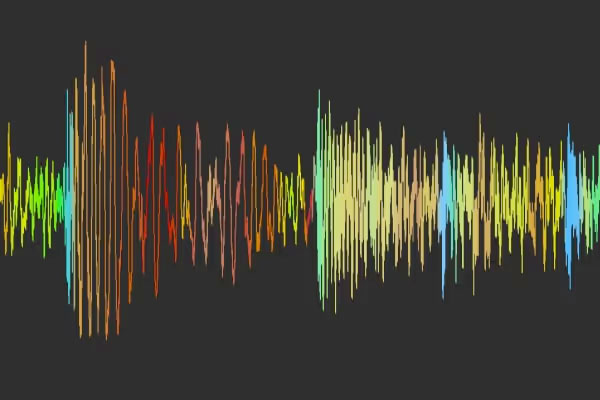 Visualize your sound with WaveColor
View pitch, character, and saturation levels at a glance. WaveColor adds color coding to waveforms so you can better understand your audio and edit with more speed and precision.
Work fast with definable Instant Actions
Access your frequently used functions in a single click. Fully control which tools or functions you want instant access to.
Save time with expert multitasking
Sound Forge can operate in the background for things like rendering so you can continue working on something else.
Boost your speed with the Batch Converter
Apply effects and automatically process multiple files at once so you don’t have to waste time waiting on repetitive tasks.
Noise Reduction
“Fix it in post” is not a meme. It’s reality.
Sometimes it seems like the world around you conspires to ruin your entire project. Noisy environments mean you can’t always get the perfect recording, but you can always fix it in Sound Forge.
DeHisser
Remove distracting hiss and hum
Analyze ambient machine noise, equipment hum, unexplainable hiss, and more. Then reduce or remove it for clear recordings.
Audio software interface showing a frequency spectrum with red and blue lines for Declicker and Decrackler, and sliders for Decrackler sensitivity and mix settings.
DeClicker/DeCrackler
Clean up clicks and pops
Quickly remove distracting clicks and pops, and clean up low-level crackling or noise. Fast, precise, and easy to use.
Audio waveform display with clipping indicators, sliders for clip level and mix settings, and an in/out volume meter.
DeClipper
Repair distorted audio
Don’t let digital or analog clipping that causes harsh peaks or overloaded levels ruin your recordings. Fix them quickly.
Recording
Record pristine audio
Break out your best microphones to record anything from a single-channel narration or voiceover to an event with multiple microphones and other sound sources. Clean recordings at the highest quality.
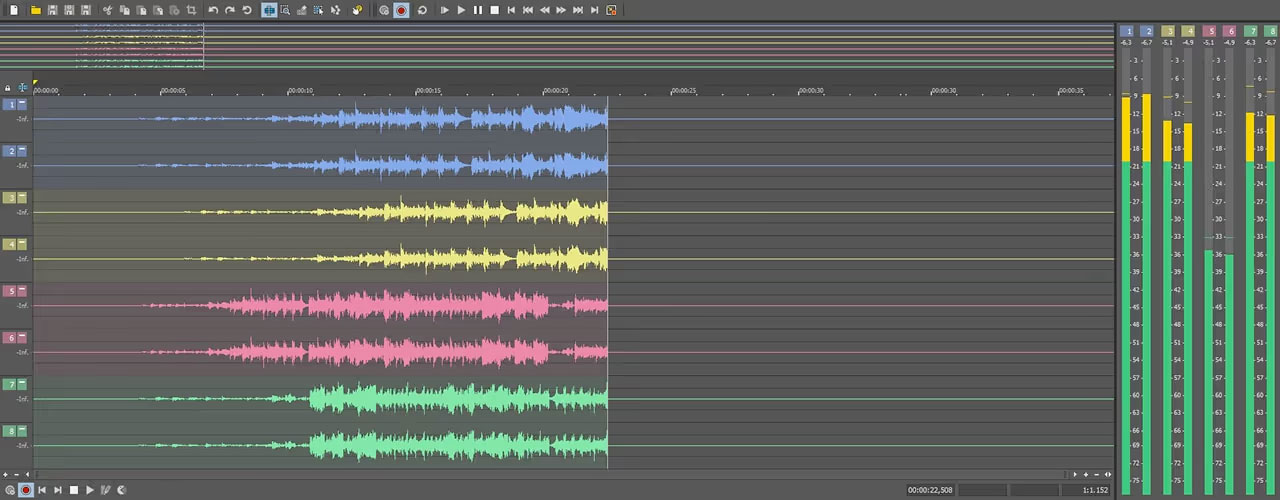
Professional recording workflow
Record up to 32 audio channels at once with full control over input routing. Monitor everything with highly accurate audio meters. Choose high bit depths and sample rates for maximum quality, or lower settings to save hard drive space.
Automatic record start
When you don’t have enough hands, let Sound Forge start recording automatically. Trigger recording based on a definable input volume threshold or a specific time and set a prerecord buffer so that you never miss a second of critical audio.
Mastering
Transform your sound from good to great
No project produced at the highest level leaves the studio without the mastering step. The changes you make in this stage don’t just affect what the listener hears, they affect what the listener feels. Sound Forge gives you the easily accessible mastering tools and power for great mastering.
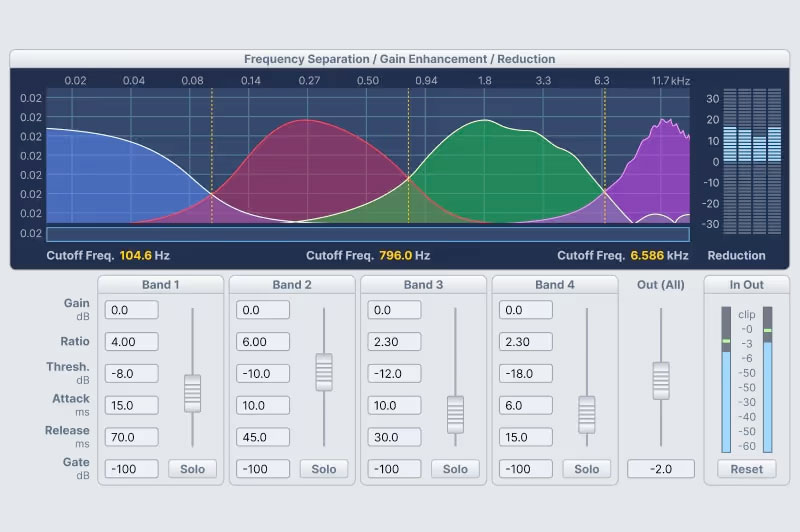
Wave Hammer 2.0
Add punch and power to your audio
Produce audio that your audience feels as much as hears. Tighten the audio dynamic range to increase overall perceived volume and power in your video with the Wave Hammer
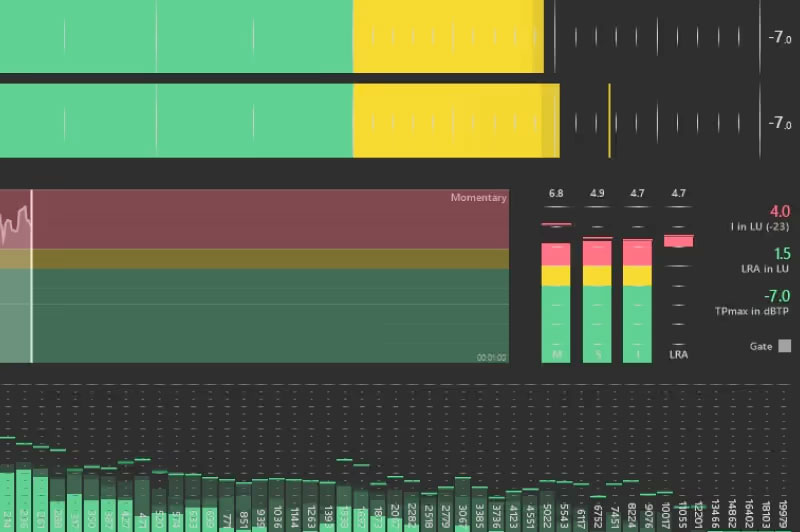
Master your audio to legal requirements
Master your soundtrack to legal requirements
Ensure CALM (Commercial Advertisement Loudness Mitigation) Act compliance with precise loudness metering and stats for an accurate view of an audio signal’s dynamic range.
Pure Audio editing or supercharged power?
Sound Forge is incredibly powerful on its own, or pair it with the great add-ons of Sound Forge Plusto take your production work up a notch.
Sound Forge
A complete integrated video and audio production pack at an unbeatable price
- Sound Forge
Sound Forge Plus
More creative control with professional tracking, audio tools, and visual effects.
- Sound Forge
- Celemony Melodyne 5 Essentials
- Vandal Amplifier Emulation
- VariVerb II: Reverberation Plug-in
- 3D Reverb plug-in
Additional Information
| SKU | SFP-PER |
|---|---|
| Status | Enabled |

You have no items in your shopping cart.